GAINBAL
耳だけに頼らない、ミックスの土台づくり。
Automatic gain-staging for every track in your session.
PROBLEM
トラックの音量バランス、毎回感覚で決めていませんか。 Guessing your track levels, every single time?
録音するたびにマイクとの距離も、声量も、機材のゲインも微妙に違う。曲を跨ぐたび、トラックを増やすたびに「なんとなく」でバランスを取り直す作業は、地味に時間を溶かします。GAINBALは、その最初の一歩を自動化します。 Mic distance, vocal power, interface gain — they're never quite the same twice. Re-balancing everything by ear, take after take, track after track, quietly eats your time. GAINBAL automates that very first step.
HOW IT WORKS
聴く前に、揃える。聴いて、揃える。 Align it before you listen. Align it as you listen.
AUTO CALIB
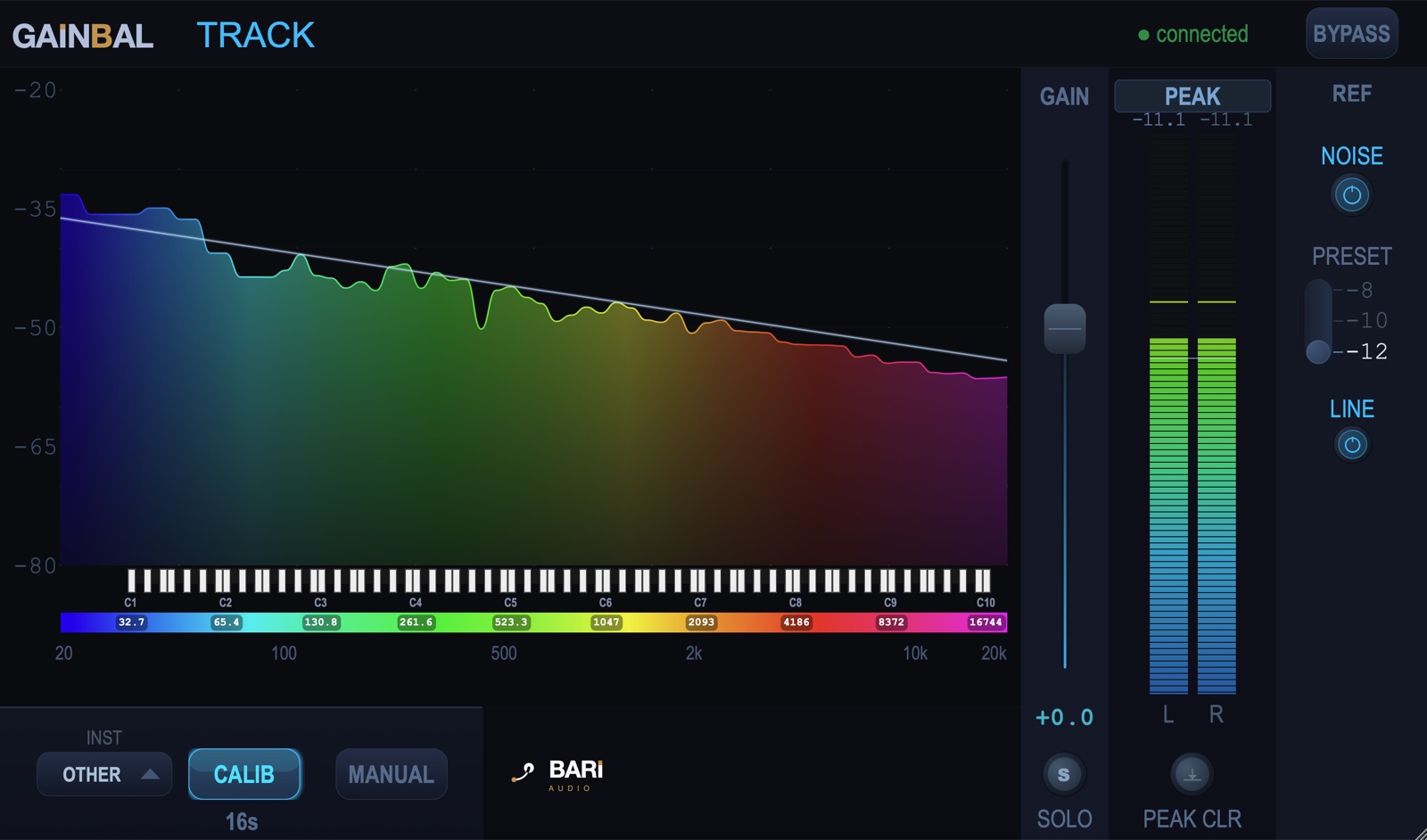
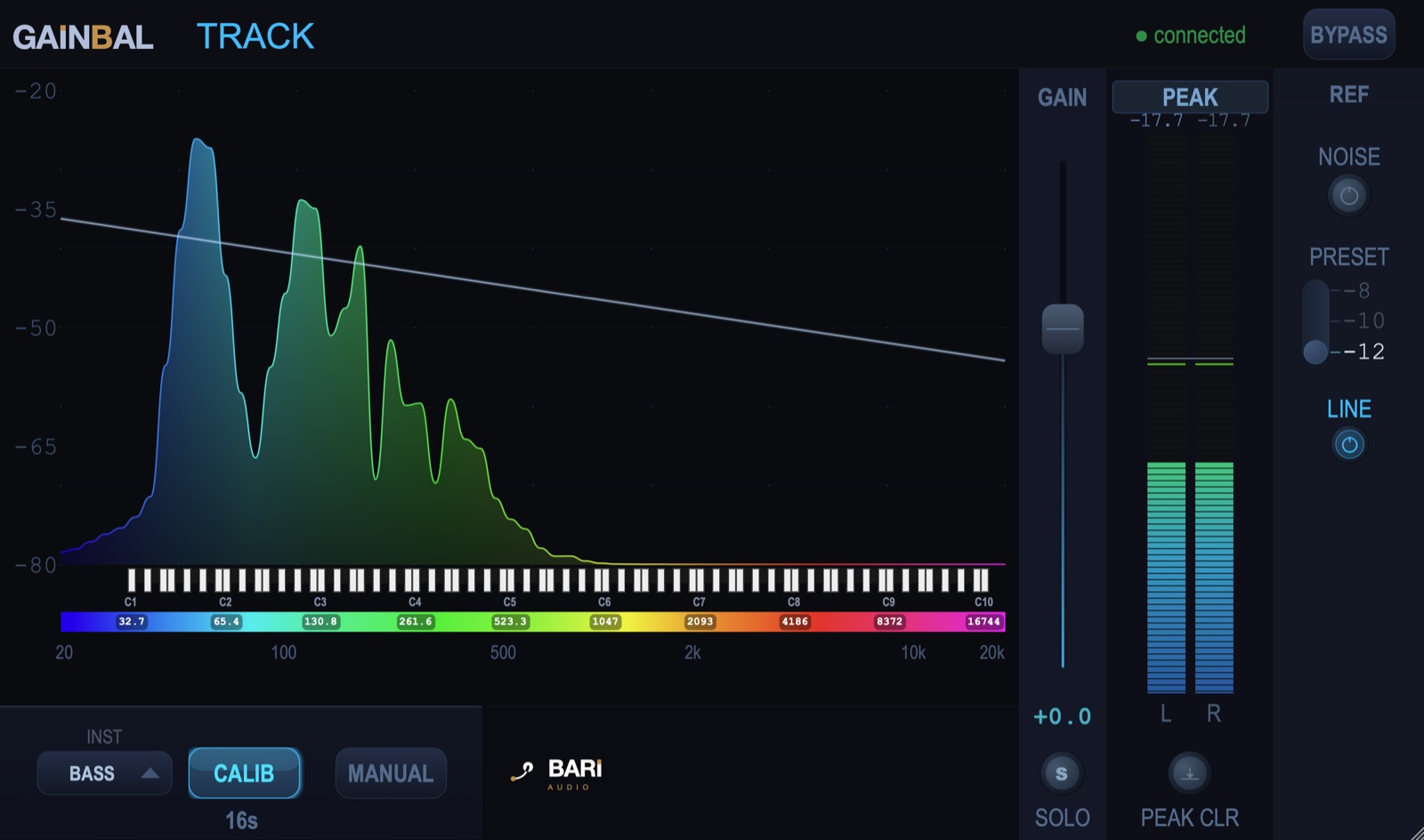
ピンクノイズの周波数バランスを基準レベルとし、各トラックバスサウンドとの差分を自動で計測してゲインを算出。ボタン1つで、そのトラックの出発点となる音量が決まります。 Uses the frequency balance of pink noise as a reference level and automatically measures the gap against each track bus's sound to calculate gain. One button sets that track's starting volume.
MANUAL CALIB
ご自分の耳でピンクノイズを聴きながら各トラックバスサウンドが見え隠れするようGAINフェーダーで調整することで音量を決めます。 Listen to the pink noise yourself and adjust the GAIN fader so the track bus sound just peeks in and out of it, setting the volume by ear.
ALL CALIB
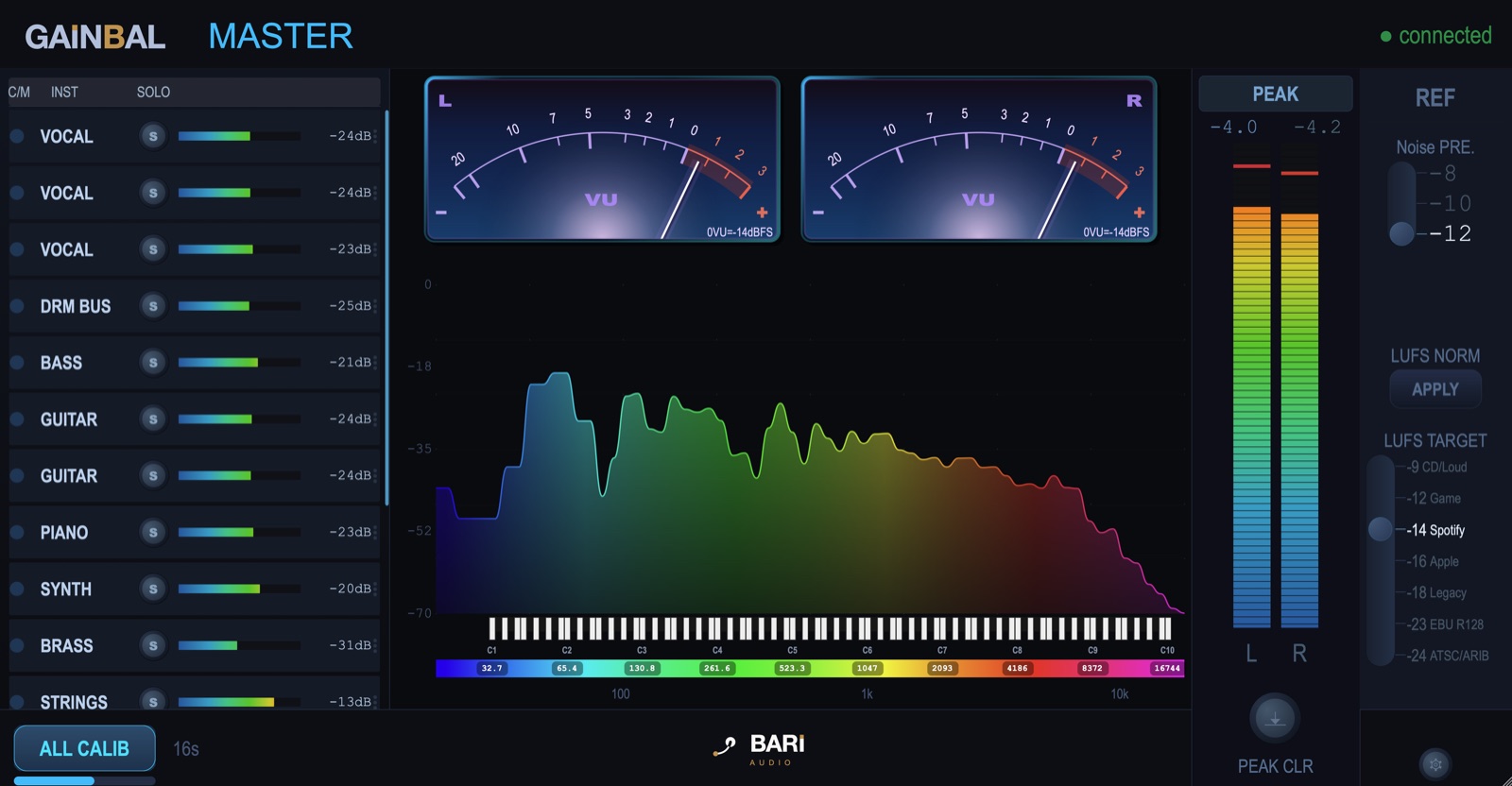
マスターバスから全トラックへ一括でキャリブレーション指示を送信。挿さっている GAINBAL Track を順番に自動計測し、セッション全体の土台を一度に揃えます。 Sends a calibration command from the master bus to every track at once. Each GAINBAL Track instance is measured in turn, aligning the whole session's foundation in one pass.
LUFS TARGET + APPLY
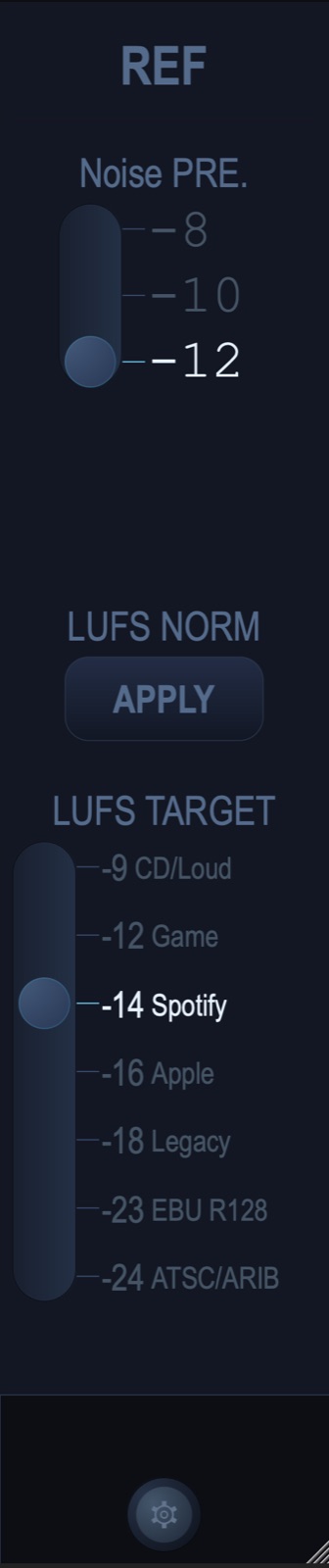
Spotify・YouTube・Apple Musicなど配信先ごとの目標ラウドネスを選び、APPLYを押すだけ。測定したラウドネスとの差分を、全トラックのゲインへ一括反映します。 Pick the target loudness for Spotify, YouTube, Apple Music and more, then hit APPLY. The gap between that target and your measured loudness is applied across every track's gain at once.
プロ品質のメーター類Studio-grade metering
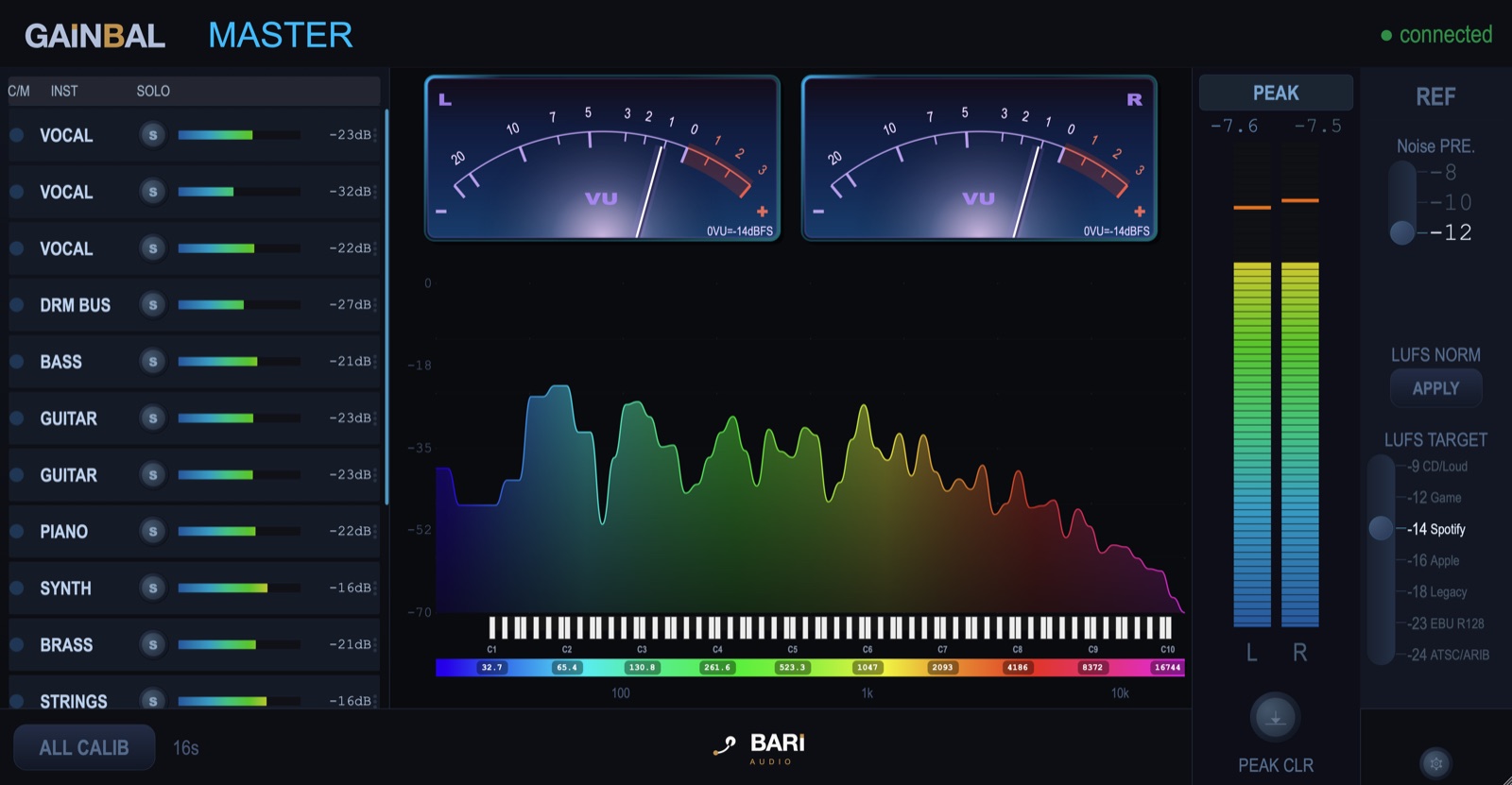
アナログ針式のVUメーター、Peak / RMS / LUFS-M / LUFS-S切替、リアルタイムのスペクトラムアナライザーを標準搭載。キャリブ後のミックスの状態を、常に目で確認できます。 Includes an analog-style needle VU meter, switchable Peak / RMS / LUFS-M / LUFS-S modes, and a real-time spectrum analyzer — so you can always see the state of your mix after calibration.
PRODUCT LINEUP
GAINBALは、4つのプラグインで構成。 GAINBAL is made up of four plugins.
GAINBAL Track・GAINBAL Master・PinknoizeGenの3つは、組み合わせて使うことで真価を発揮します(1ライセンスで3つとも有効化されます)。4つめのGAINBAL Meterは無料で、単体でも使えます。 GAINBAL Track, GAINBAL Master, and PinknoizeGen are designed to do their best work together (one license activates all three). The fourth, GAINBAL Meter, is free and works on its own.
GAINBAL Track
各トラックバスに挿して、そのトラック単体のAUTO CALIB・ゲイン管理・ソロ制御を行います。 Insert on each track bus to handle that track's own AUTO CALIB, gain management, and solo control.
GAINBAL Master
マスターバスに挿して、全トラックの一括管理・ALL CALIB・LUFS正規化・メーターを担当します。 Insert on the master bus to manage every track at once — ALL CALIB, LUFS normalization, and metering.
PinknoizeGen
キャリブレーション用のピンクノイズを生成する補助プラグイン。任意のインストゥルメントトラックに挿して使用します。 A helper plugin that generates pink noise for calibration. Insert it on any instrument track when needed.
GAINBAL Meter
マスターバスに挿すだけの無料メータープラグイン。ライセンス不要で単体でも使えます。 A free metering plugin — just insert it on your master bus. No license required, and it works entirely on its own.
SPECS
動作環境System requirements
| OS | macOS 11(Big Sur)以降macOS 11 (Big Sur) or later |
| 対応MacSupported Macs | Apple Silicon(arm64)/ Intel(x86_64)— 1つのインストーラで両対応Apple Silicon (arm64) / Intel (x86_64) — one installer for both |
| プラグイン形式Plugin formats | AU / VST3(両方インストールされます)AU / VST3 (both installed) |
| 動作確認済みDAWVerified DAWs | Logic Pro / Studio One / Cubase |
| ご使用台数Activations | 1ライセンスにつき3台までUp to 3 activations per license |
| インターネット接続Internet connection | ライセンス認証時に必要。認証後は最大60日間オフラインでご使用いただけます(期限が近づくと、インターネットに接続された状態でプラグインを起動したときに自動的に延長されます)Required for activation. After activation the plugin runs offline for up to 60 days; the period is extended automatically when you launch the plugin while online. |
| アップデートUpdates | 本製品のアップデートは無料です(将来の別製品は対象外)Free for this product (separate future products not included) |
| コード署名Code signing | Developer ID署名・公証済みDeveloper ID signed & notarized |
本製品はプラグインです。AU または VST3 に対応したDAWが別途必要です。上記以外のDAWでも、AU または VST3 に対応していればお使いいただけますが、弊社での動作確認は行っておりません。 This is a plug-in. A DAW that supports AU or VST3 is required. Other DAWs supporting AU or VST3 will generally work, but have not been tested by us.
FREE TRIAL
まず14日間、無料で試す。Try it free for 14 days.
アカウント登録もクレジットカードも不要。ダウンロードしてインストールすれば、すぐに全機能を14日間お使いいただけます。トライアル中は一定間隔で短いミュートが入りますが、ライセンスキーを入力すればいつでも解除されます。 No account, no credit card. Download, install, and every feature is yours for 14 days. During the trial a short mute is inserted at regular intervals — enter a license key anytime to remove it.
メールアドレスのご登録後にダウンロードいただけます。zip にインストーラー(.pkg)とマニュアル(PDF)を同梱。macOS(Apple Silicon / Intel)。 Available after you register your email. The zip contains the installer (.pkg) and the manual (PDF). macOS (Apple Silicon / Intel).
解凍してインストールUnzip & install
zipを解凍し、インストーラー(.pkg)を実行して利用許諾(EULA)に同意します。 Unzip the file, run the installer (.pkg), and agree to the license (EULA).
DAWに挿すInsert in your DAW
DAWを再起動し、各トラックバスに GAINBAL Track、マスターバスに GAINBAL Master を挿します。AU・VST3の両方が自動でインストールされます。 Restart your DAW, then insert GAINBAL Track on your track buses and GAINBAL Master on the master bus. Both AU and VST3 are installed automatically.
購入後はキーを入力Enter your key
気に入ったら購入し、届いたライセンスキーをプラグインの認証画面に入力するだけ。再インストールは不要です。 Once you buy, enter the license key you receive into the plugin's activation screen. No reinstall needed.
購入をご希望の方は 価格を見る → Ready to buy? See pricing →
PRICING
シンプルな買い切り価格。Simple, one-time pricing.
- 永続ライセンス・買い切りPerpetual license, one-time purchase
- アップデート無料Free updates
- 1ライセンスにつき3台までUp to 3 activations per license
- 商用利用可Commercial use allowed
FAQ
よくある質問FAQ
トライアル版と購入後の製品版は別物ですか?Are the trial and the paid version different downloads?
同じインストーラーです。トライアル版をインストール済みなら、購入後に届くライセンスキーを認証画面に入力するだけで製品版になります。再ダウンロード・再インストールは不要です。 They are the same installer. If you already installed the trial, just enter the license key you receive after purchase into the activation screen — no re-download or reinstall.
トライアル中に音が途切れるのはなぜですか?Why does the audio cut out during the trial?
トライアル版はデモモードとして一定間隔で1秒ほどのミュートが入ります。不具合ではありません。ライセンスキーを入力すると解除されます。 The trial runs in demo mode and inserts a ~1-second mute at regular intervals. This is not a bug — it is removed once you enter a license key.
無料版のGAINBAL Meterとの違いは?How is this different from the free GAINBAL Meter?
GAINBAL Meterはメーター機能のみを無料で提供するプラグインです。AUTO CALIB・ALL CALIB・LUFSの一括調整など、GAINBAL Trackと連携する機能は有料版のGAINBALでのみご利用いただけます。 GAINBAL Meter is a free plugin that only offers metering features. Features that work with GAINBAL Track — AUTO CALIB, ALL CALIB, and one-click LUFS adjustment — are available only in the paid GAINBAL.
ライセンスは何台まで使えますか?How many machines can I use my license on?
1ライセンスにつき3台まで有効化できます。マシンの入れ替え等で台数上限に達した場合は、License Managerからいつでも解除・再割り当てが可能です。 Each license activates on up to 3 machines. If you reach that limit — say, after switching computers — you can deactivate and reassign seats anytime from the License Manager.
Windowsには対応していますか?Is Windows supported?
現在はmacOS版(AU / VST3)のみの提供です。Windows対応は今後の検討事項としています。 Currently we only offer the macOS version (AU / VST3). Windows support is something we're considering for the future.
返金はできますか?Can I get a refund?
デジタル商品の性質上、原則として返金はお受けしておりません。ご購入前に14日間の体験版で全機能をお試しいただけますので、あらかじめご確認のうえご購入ください。詳しくは特定商取引法に基づく表記をご覧ください。 Being a digital product, we generally do not offer refunds. You can evaluate every feature with the 14-day trial before buying, so please check it first. See our Specified Commercial Transactions notice for details.
返金された場合、プラグインは使い続けられますか?If I'm refunded, can I keep using the plugin?
いいえ。返金にご対応した場合、またはチャージバック等で決済が取り消された場合、当該ライセンスキーは無効となり、製品をご使用いただけなくなります。認証が解除されるまでには最長60日かかります(オフライン使用可能期間の満了時、またはその前のライセンス更新時に解除されます)。 No. If a refund is issued, or payment is reversed by a chargeback, that license key is deactivated and the product can no longer be used. Deactivation takes effect within 60 days at the latest: when the offline period expires, or at the next license renewal before that.
購入後、ライセンスキーはどう受け取りますか?How do I receive my license key after purchase?
決済完了後の画面とメールで、ご購入時のメールアドレスに紐づくライセンスキーをご案内します。インストーラーはこのページの「トライアル版をダウンロード」から入手できます(トライアル版と製品版は同一です)。 After checkout, you'll be directed to a page where you can look up your license key by the email address you purchased with. The installer is the same file linked above under “Download the trial” — the trial and paid builds are identical.