
究極のハンドクラップ/フィンガースナップ音源。機能は多彩、操作はシンプル。思い描いた理想の一発へ、すぐに。
The ultimate hand clap & finger snap instrument.Deep features, simple controls — get to the perfect hit you imagine, fast.
macOS / AU・VST3macOS / AU · VST3
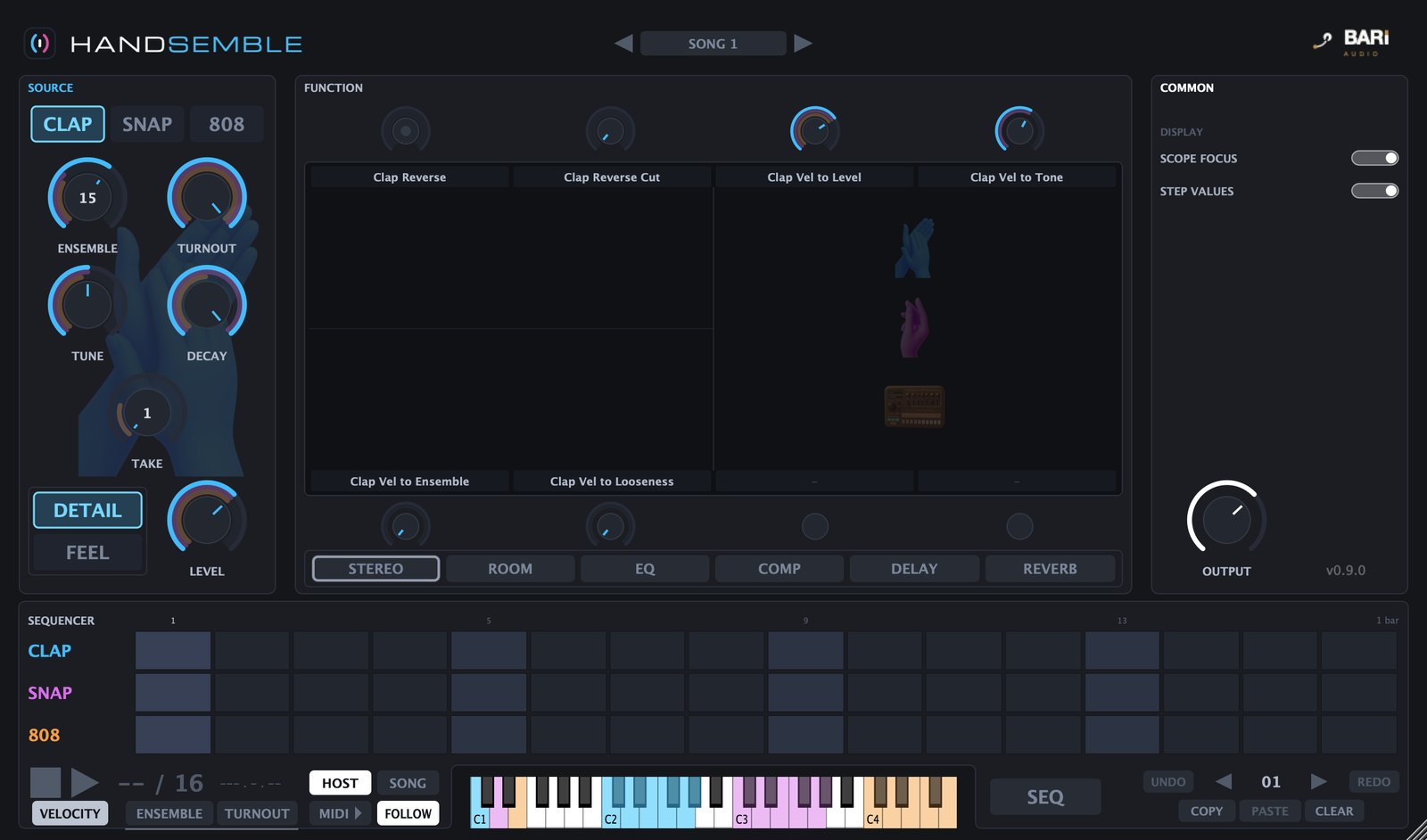
DEMO
CONCEPT
細部まで、思いのままに。 Every detail, exactly how you want it.
HANDSEMBLE(ハンサンブル)は、HAND(手)と ENSEMBLE(合奏)を合わせた名前のとおり、鳴らすたびに1人ひとりのタイミング・音程・音量を組み立てる音源です。ばらつきの幅も、音が集まる位置も、叩く人の割合も、すべて調整できます。人数は1人のソロから120人の大観衆まで9段階(スナップは30人まで)。 As the name suggests — HAND + ENSEMBLE — HANDSEMBLE builds every hit on the fly, shaping each performer’s timing, pitch and level. The width of the spread, where the energy gathers, how many of the group actually clap — it’s all adjustable. Choose from nine group sizes, from a solo player to a crowd of 120 (snaps go up to 30).
FEATURES
大勢に聞こえるかどうかは、ずれ方で決まる。 A crowd sounds like a crowd because of how it drifts.
ENSEMBLE / TURNOUT
ENSEMBLE で人数を、TURNOUT で「そのうち実際に叩く人の割合」を決めます。TURNOUT を下げると1発ごとに叩く顔ぶれが入れ替わり、連打したときに自然なばらつきが生まれます。 ENSEMBLE sets the head count; TURNOUT sets how many of them actually clap on each hit. Lower TURNOUT and the line-up changes from hit to hit, giving repeated claps a natural unevenness.
人数を直接指定する鍵盤もあるので、ノブを動かさずに1人から120人までを弾き分けられます。 Dedicated keys also trigger each group size directly, so you can play anything from 1 to 120 people without touching a knob.
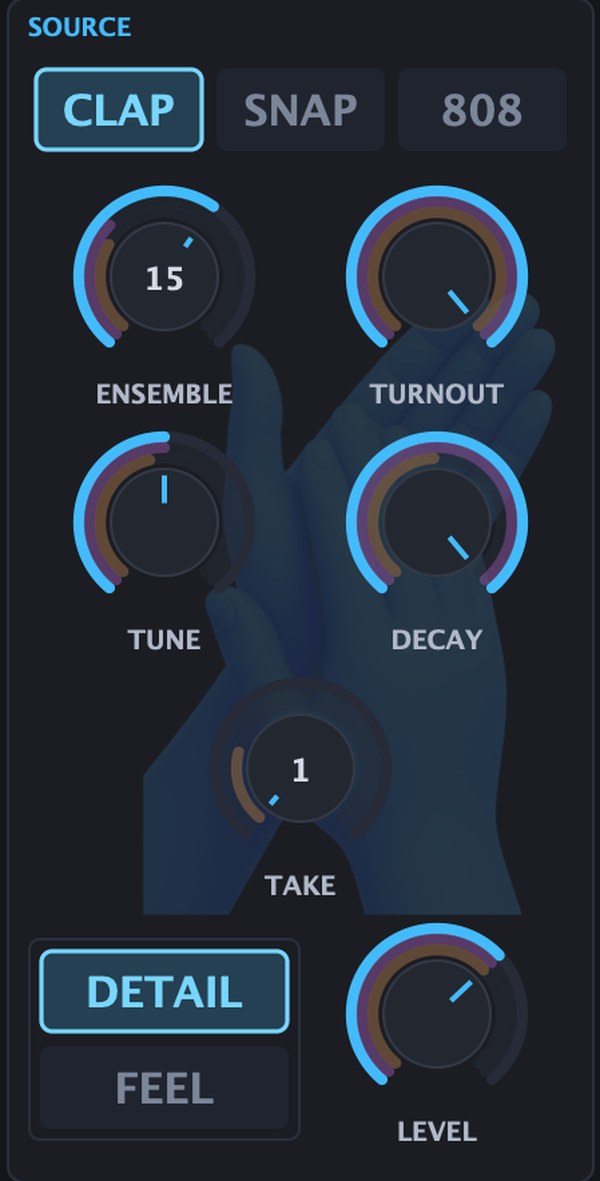
ばらつきを、目で見て作るSee the spread as you shape it
LOOSENESS で発音タイミングの広がりを、ACCENT と STRENGTH で「音が集まる位置」を決めます。1人を1本の棒で表したタイミング図に、いま鳴った全員の時刻と音量がそのまま表示されます。 LOOSENESS widens the timing spread; ACCENT and STRENGTH decide where the energy gathers. A timing chart draws every clapper as one bar — when they hit, and how loud.
FIXED を入れると、直前に鳴った気に入った1発をそのまま繰り返せます。固定した音はプロジェクトに保存されます。 Switch on FIXED to lock the hit you just heard and repeat it exactly. The locked hit is saved with your project.
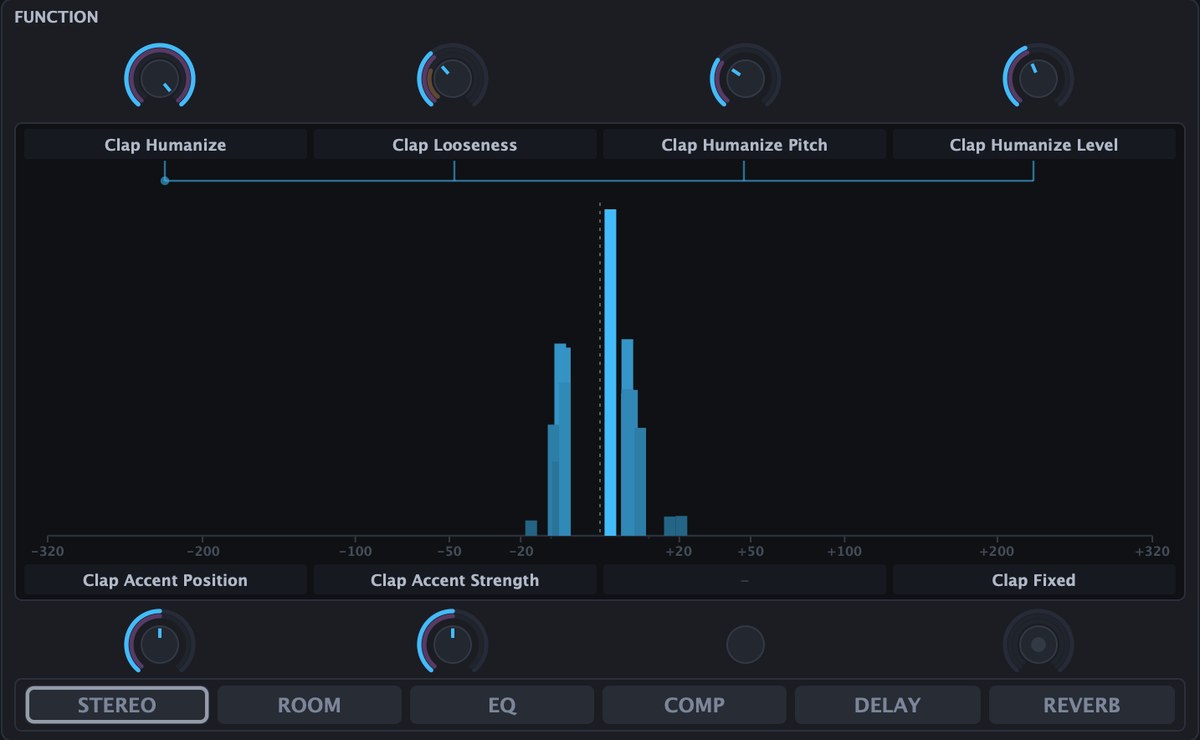
誰がどこに立っているかWho stands where
SPREAD で左右の広がりを、FORMATION と GROUPS で何群に分かれて立つかを決めます。パンは1人ずつ発音の時点で割り当てるので、大人数でも定位がつぶれません。 SPREAD sets the stereo width; FORMATION and GROUPS split the crowd into clusters. Each person is panned individually at the moment they play, so large groups keep a clear stereo image.
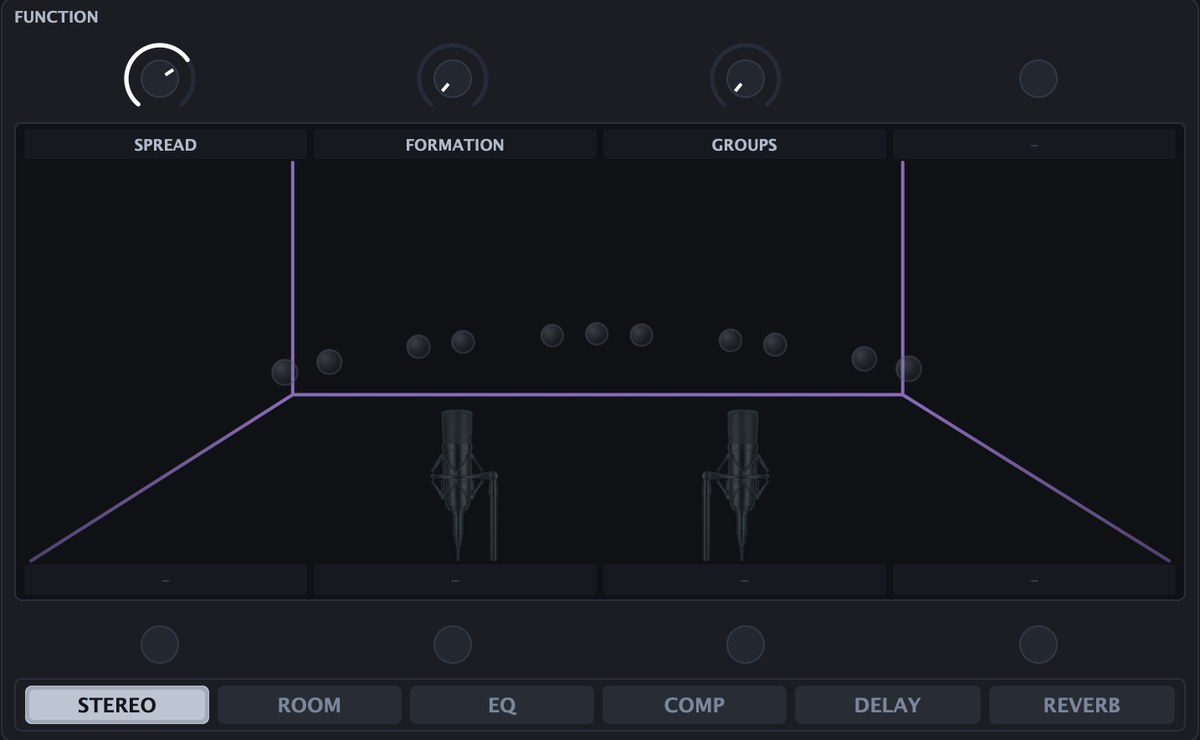
ステップごとに人数を書けるWrite the crowd size per step
CLAP / SNAP / 808 の3レーンを持つステップシーケンサーを内蔵。ステップごとに人数と TURNOUT を書けるので、「頭は2人、サビは30人」といったパターンが1つで作れます。パターンは16個まで、並べてソングとしても再生できます。 A built-in step sequencer with CLAP, SNAP and 808 lanes. Every step can carry its own group size and TURNOUT, so one pattern can go from two people to thirty. Keep up to 16 patterns and chain them into songs.

SOUNDS & EFFECTS
3つの音源と、仕上げまでのエフェクト。 Three sources, plus effects to finish them.
CLAP
ハンドクラップ。自然な響きと押しの強い響きの2テイクを、TAKE で切り替えられます。 Hand claps in two takes, a natural sound and a punchier sound, switched with TAKE.
SNAP
フィンガースナップ。自然な響きと押しの強い響きの2テイク。人数は30人まで。 Finger snaps in two takes: a natural sound and a punchier sound. Up to 30 people.
808
サンプルを使わず、その場で合成するリズムマシンのクラップ。連射数・音色・響きを個別に調整できます。 A drum-machine clap synthesised on the fly — no samples. Taps, tone and body are all adjustable.
ROOM / EQ / COMP / DELAY / REVERB
部屋鳴りから残響まで、信号の流れ順に並んだ5つのエフェクトを内蔵。別のプラグインを挿さずに仕上げられます。 Five built-in effects laid out in signal order, from room tone to reverb — finish the sound without extra plug-ins.
SPECS
動作環境System requirements
| OS | macOS 11(Big Sur)以降macOS 11 (Big Sur) or later |
| 対応MacSupported Macs | Apple Silicon(arm64)/ Intel(x86_64)— 1つのインストーラで両対応Apple Silicon (arm64) / Intel (x86_64) — one installer for both |
| プラグイン形式Plugin formats | AU / VST3 インストゥルメント(両方インストールされます)AU / VST3 instrument (both installed) |
| 動作確認済みDAWVerified DAWs | Logic Pro / Studio One / Cubase |
| ご使用台数Activations | 1ライセンスにつき3台までUp to 3 activations per license |
| インターネット接続Internet connection | ライセンス認証時に必要。認証後は最大60日間オフラインでご使用いただけます(期限が近づくと、インターネットに接続された状態でプラグインを起動したときに自動的に延長されます)Required for activation. After activation the plugin runs offline for up to 60 days; the period is extended automatically when you launch the plugin while online. |
| 制作物での使用Use in your music | ロイヤリティフリー。本製品で制作した楽曲は、商用を含めて自由にお使いいただけます(クレジット表記も不要です)。ただし、収録素材や本製品で書き出した音そのものを、サンプルパック・ループ集などの素材製品として販売・配布することはできませんRoyalty-free. Music made with this product may be used freely, including commercially, with no credit required. You may not sell or distribute the recorded material, or sounds rendered from this product, as a sound product such as a sample pack or loop library. |
| アップデートUpdates | 本製品のアップデートは無料です(将来の別製品は対象外)Free for this product (separate future products not included) |
| コード署名Code signing | Developer ID署名・公証済みDeveloper ID signed & notarized |
本製品はプラグインです。AU または VST3 に対応したDAWが別途必要です。音源プラグインのため、オーディオトラックではなくインストゥルメントトラックに読み込んでご使用ください。上記以外のDAWでも、AU または VST3 に対応していればお使いいただけますが、弊社での動作確認は行っておりません。 This is a plug-in. A DAW that supports AU or VST3 is required. As an instrument, load it on an instrument track rather than an audio track. Other DAWs supporting AU or VST3 will generally work, but have not been tested by us.
FREE TRIAL
まず14日間、無料で試す。Try it free for 14 days.
アカウント登録もクレジットカードも不要。ダウンロードしてインストールすれば、すぐに全機能を14日間お使いいただけます。体験版では45秒ごとに約1秒の無音が入りますが、ライセンスキーを入力すればいつでも解除されます。 No account, no credit card. Download, install, and every feature is yours for 14 days. The trial inserts about one second of silence every 45 seconds — enter a license key anytime to remove it.
メールアドレスのご登録後にダウンロードいただけます。zip にインストーラー(.pkg)とマニュアル(PDF)を同梱。macOS(Apple Silicon / Intel)。 Available after you register your email. The zip contains the installer (.pkg) and the manual (PDF). macOS (Apple Silicon / Intel).
解凍してインストールUnzip & install
zipを解凍し、インストーラー(.pkg)を実行して利用許諾(EULA)に同意します。 Unzip the file, run the installer (.pkg), and agree to the license (EULA).
インストゥルメントトラックに読み込むLoad it on an instrument track
DAWを再起動し、インストゥルメントトラックに HANDSEMBLE を読み込みます。AU・VST3の両方が自動でインストールされます。 Restart your DAW and load HANDSEMBLE on an instrument track. Both AU and VST3 are installed automatically.
購入後はキーを入力Enter your key
気に入ったら購入し、届いたライセンスキーをプラグインの認証画面に入力するだけ。再インストールは不要です。 Once you buy, enter the license key you receive into the plugin's activation screen. No reinstall needed.
購入をご希望の方は 価格を見る → Ready to buy? See pricing →
PRICING
シンプルな買い切り価格。Simple, one-time pricing.
- 永続ライセンス・買い切りPerpetual license, one-time purchase
- アップデート無料Free updates
- 1ライセンスにつき3台までUp to 3 activations per license
- 制作物への使用はロイヤリティフリーRoyalty-free use in your music
FAQ
よくある質問FAQ
体験版と購入後の製品版は別物ですか?Are the trial and the paid version different downloads?
同じインストーラーです。体験版をインストール済みなら、購入後に届くライセンスキーを認証画面に入力するだけで製品版になります。再ダウンロード・再インストールは不要です。 They are the same installer. If you already installed the trial, just enter the license key you receive after purchase into the activation screen — no re-download or reinstall.
体験版で音が途切れるのはなぜですか?Why does the sound cut out during the trial?
体験版では45秒ごとに約1秒の無音が入ります。不具合ではありません。ライセンスキーを入力すると、DAWを再起動しなくても数秒で解除されます。 The trial inserts about one second of silence every 45 seconds. This is not a bug — entering a license key removes it within a few seconds, without restarting your DAW.
制作した曲を商用で使えますか?Can I use it in commercial releases?
はい。本製品で制作した楽曲は、商用・非商用を問わずロイヤリティフリーでお使いいただけます。クレジット表記も不要です。ただし、収録素材や本製品で書き出した音そのものを、サンプルパック・ループ集・音源などの素材製品として販売・配布することはできません。詳しくは製品に同梱の使用許諾契約(EULA)をご覧ください。 Yes. Music you make with this product is royalty-free for commercial and non-commercial use, and no credit is required. You may not sell or distribute the recorded material, or sounds rendered from this product, as a sound product such as a sample pack, loop library or instrument. See the licence agreement (EULA) included with the product for details.
GAINBAL のライセンスで使えますか?Does my GAINBAL license cover HANDSEMBLE?
いいえ。HANDSEMBLE は GAINBAL とは別の製品のため、専用のライセンスキーが必要です。 No. HANDSEMBLE is a separate product and needs its own license key.
ライセンスは何台まで使えますか?How many machines can I use my license on?
1ライセンスにつき3台まで有効化できます。マシンの入れ替え等で台数上限に達した場合は、License Managerからいつでも解除・再割り当てが可能です。 Each license activates on up to 3 machines. If you reach that limit — say, after switching computers — you can deactivate and reassign seats anytime from the License Manager.
DAWのプラグイン一覧に出てきません。It doesn't show up in my DAW.
音源プラグインのため、オーディオトラックではなくインストゥルメントトラックに読み込んでください。それでも出てこない場合はDAWを再起動してください。 It is an instrument, so load it on an instrument track rather than an audio track. If it still doesn't appear, restart your DAW.
Windowsには対応していますか?Is Windows supported?
現在はmacOS版(AU / VST3)のみの提供です。Windows対応は今後の検討事項としています。 Currently we only offer the macOS version (AU / VST3). Windows support is something we're considering for the future.
返金はできますか?Can I get a refund?
デジタル商品の性質上、原則として返金はお受けしておりません。ご購入前に14日間の体験版で全機能をお試しいただけますので、あらかじめご確認のうえご購入ください。詳しくは特定商取引法に基づく表記をご覧ください。 Being a digital product, we generally do not offer refunds. You can evaluate every feature with the 14-day trial before buying, so please check it first. See our Specified Commercial Transactions notice for details.
返金された場合、プラグインは使い続けられますか?If I'm refunded, can I keep using the plugin?
いいえ。返金にご対応した場合、またはチャージバック等で決済が取り消された場合、当該ライセンスキーは無効となり、製品をご使用いただけなくなります。認証が解除されるまでには最長60日かかります(オフライン使用可能期間の満了時、またはその前のライセンス更新時に解除されます)。 No. If a refund is issued, or payment is reversed by a chargeback, that license key is deactivated and the product can no longer be used. Deactivation takes effect within 60 days at the latest: when the offline period expires, or at the next license renewal before that.
購入後、ライセンスキーはどう受け取りますか?How do I receive my license key after purchase?
決済完了後の画面とメールで、ご購入時のメールアドレスに紐づくライセンスキーをご案内します。インストーラーはこのページの「体験版をダウンロード」から入手できます(体験版と製品版は同一です)。 After checkout, your license key is shown on the confirmation page and sent to the email address you purchased with. The installer is the same file linked above under “Download the trial” — the trial and paid builds are identical.
© BARI Studio / BARI Audio. HANDSEMBLE is a product by TRUE INDEX.